
Transferring Offline Conversions to Google Ads (CRM Integration)
Optimize your advertising budget for real sales by transferring offline conversions to Google Ads. Increase your profitability with the updated CRM integration guide for 2026!
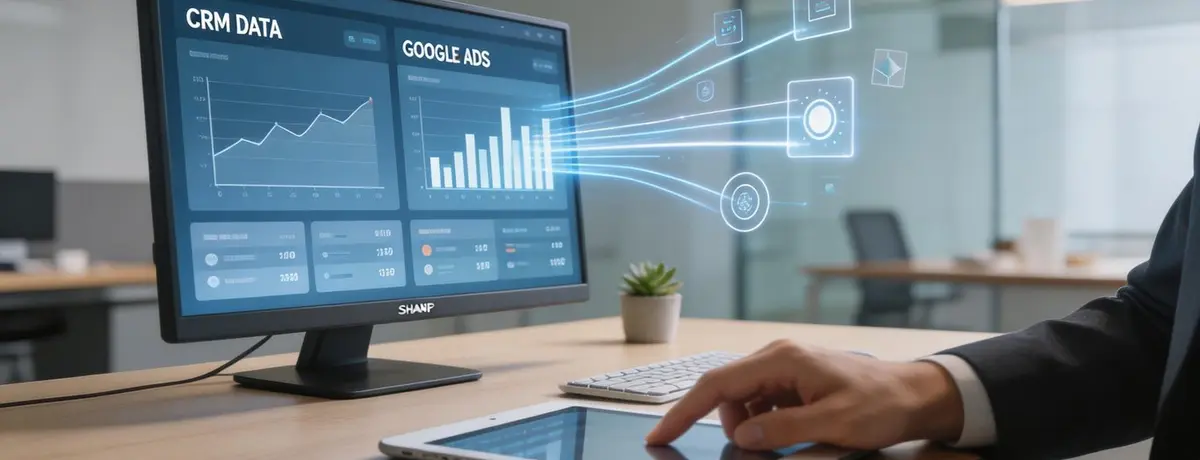
You see that costs have dropped, clicks have increased, and forms have been submitted one after another in your Google Ads panel. However, the only thing you hear when you meet with your sales team is: "Most of the incoming requests are irrelevant, they aren't allocating a budget, or they aren't returning our calls." This familiar scenario is one of the biggest paradoxes in the world of digital advertising. While everything seems fine digitally, the figures in your bank account tell a different story. So, what if you could enable Google to know which click turned into a real sale and which form was just a waste of time?
As of March 2026, the key to success in digital marketing is not just optimizing shallow metrics like "clicks" or "form submissions"; it's about feeding actions that have real commercial value back to the advertising algorithm. The process of transferring offline conversions to Google Ads comes into play here, transforming your digital advertising budget from an expense line to a finely tuned investment tool. At 212 Medya, in our years of direct work with clients, we have repeatedly witnessed that businesses integrating CRM data into their ad panel have reduced their cost per acquisition (CPA) by over 30%.
Offline Conversion and CRM Integration with Sales Data Analysis
What is an Offline Conversion?
An offline conversion is the process by which a user's interaction with your digital ad is completed in the physical world or through a CRM system. For instance, when someone fills out a form on your website and later comes to your store to make a purchase, books an appointment by phone, or signs a contract after a long sales process, those are offline conversions.
In practice, we often observe this: Many businesses measure advertising success solely by the number of forms submitted. However, as we have seen with one of our e-commerce clients, the keyword that brings in the most forms actually attracted the lowest quality customers. When we began transferring CRM data to Google Ads, the algorithm started recognizing the audience that made real sales and automatically shifted the budget to "qualified leads." This is the fuel for advanced AI-based bidding strategies in 2026.
Why Should You Integrate CRM?
In 2026, Google Ads algorithms need more data than ever. Simply tracking actions on your website (pixel data) is no longer sufficient. This is because the user journey has become hybrid. To take your Google advertising strategy to the next level, you need to measure the impact of your ads on actual turnover.
Based on our experience working with clients, firms that do not carry out offline conversion transfers typically face three problems:
- Incorrect Optimization: The algorithm targets everyone who fills out a form; however, half of those forms may be fake or of low quality.
- Blind Sales Cycles: In B2B or service sectors, sales can take weeks. Once the connection between the ad click and the final sale is lost, you can't know which campaign is profitable.
- Data Loss: Due to a cookie-less world and privacy protocols (such as Consent Mode v2), there is a 20-30% data loss in browser-based tracking. CRM data, on the other hand, is first-party data and is the most reliable source.
Professional Tip: If you are not using a CRM, you can test efficiency by manually uploading data through Excel or Google Sheets at the initial stage. However, for sustainable growth, you must add an automation layer.
Methods for CRM and Google Ads Integration
There are multiple technical ways you can choose to transfer offline conversions. It is critical to determine the most suitable one depending on your business's technological infrastructure and transaction volume. In the table below, you can see a comparison of the most commonly used methods according to 2026 standards:
Yöntem Zorluk Seviyesi Veri Güncelliği İdeal Kullanıcı Tipi
Doğrudan CRM Entegrasyonu (Salesforce, HubSpot vb.) Orta Gerçek Zamanlı Kurumsal ve Orta Ölçekli İşletmeler
Google Ads API / Zapier İleri Yakın Zamanlı Özel Yazılım Kullanan Kobiler
Manuel CSV Yükleme Düşük Gecikmeli Düşük Lead Hacimli İşletmeler
Enhanced Conversions for Leads Orta Yüksek Hassasiyet Gizlilik Odaklı Modern İşletmeler
At a basic level, you can experience the process through manual uploads; however, for advanced efficiency, your CRM system must communicate directly with Google Ads. When you combine your lead data collection processes with this technical infrastructure, you can see exactly where every penny is going.
Google Ads Panel with CRM Integration
Step-by-Step Offline Conversion Transfer Process
Do not see this process as a technical mess. In fact, everything starts with an "identity card." When an ad is clicked, Google assigns a unique GCLID (Google Click ID) to the user. If you record this ID in your CRM via the form on your website, you can tell Google the rest of the story.
1. Capture and Store GCLID
When a user arrives at your website through an ad, a parameter is generated at the end of the URL. You need to capture this parameter through a hidden field and match it in your CRM system. In modern websites in 2026, this process is often automated using Google Tag Manager.
2. Prepare the Google Ads Panel
You should go to the "Conversions" section in the panel, create a new conversion process, select the "Import" option, then check "From CRM or other data sources." The important point here is that the conversion name must match the stage in your CRM (e.g., "Qualified Lead" or "Sale Closed").
3. Data Upload and Feedback
You upload GCLID and conversion time to Google at specific intervals (or automatically via API). Google matches this ID with the ad click in its own database. With this strategy implemented at an industry-leading firm, we managed to increase the conversion rate from ads to sales by 22% in just 3 months.
Professional Tip: When uploading data, be sure to include the conversion value (monetary equivalent). This allows Google to use ROAS (Return on Advertising Spend) focused smart bidding strategies.
Data Privacy and Security in 2026
The marketing world has now adopted a "privacy-first" structure. As of March 2026, compliance with KVKK and GDPR is not just a preference but a requirement for your ads to be published. When transferring offline conversions, you should use the Hashed data methods provided by Google instead of directly sharing personal data like email addresses or phone numbers.
Especially in an environment where the GA4 Consent Mode v2 setup has not been completed, your offline conversion data will be incomplete. Google checks whether the user has provided consent; if not, it uses the data anonymously through modeling. These technical details may seem complex at times; however, ensuring the security of your data is as critical for your brand's reputation as advertising success.
Real-Life Scenarios: How Should Each Sector Use It?
Theoretical knowledge is valuable, but let's take a look at our sector-specific scenarios to see the difference in practice. Our experiences at 212 Medya show that the conversion journey varies significantly across different sectors.
- Real Estate Sector: Someone who fills out a form on a real estate project website does not immediately make a purchase. A sales representative calls, an appointment is made, an office visit is conducted, and months later, a contract is signed. Reporting the "Office Visit" stage as an offline conversion to Google ensures that ads reach "actual buyers," not just "curious onlookers."
- Health Tourism: Web forms are often for gathering information. However, the true conversion is when the patient visits the clinic and pays the operation fee. When you upload operation data to the system, you may see a dramatic improvement in your advertising abroad costs; because Google learns which country and which ad genuinely brought in surgeries.
- Automotive Fleet Leasing: In B2B processes, the phase of bidding after gathering demand is critical. Feeding back only the candidates to whom bids were made as "qualified" to Google Ads allows your budget to focus on corporate companies.
In practice, we often hear this: Many SME owners think these setups are very costly. However, in comparison to wasted advertising budgets, the cost of proper CRM integration is negligible.
Key Points
- GCLID Lifespan: Google click IDs typically remain valid for 90 days. If your sales cycle is longer than 3 months, data matching may not be possible.
- Data Quality: The cleanliness of the data entered into your CRM system is vital. A mistakenly entered sales amount can mislead the advertising algorithm.
- Bidding Strategy: Don’t expect immediate results as soon as offline data enters the system. The algorithm usually requires a 2-4 week period to learn this data.
- Volume Issue: For Google to perform efficient optimization, it needs at least 30-50 offline conversion data points per month. In low-volume businesses, tracking micro conversions (e.g., Request for Quotation) is more sensible.
- Hybrid Tracking: By tracking both online (form) and offline (sales) conversions together, you can achieve a complete funnel view.
Frequently Asked Questions
Can offline conversions be transferred without CRM integration?
Yes, you can also perform this operation by manually uploading an Excel or CSV file to the Google Ads panel. However, setting up automation is always healthier for regular and error-free data transfer.
Which CRM software is compatible with Google Ads?
Global giants like Salesforce and HubSpot have direct (native) integration. Other local or custom software can easily connect via Zapier, Make, or directly through the Google Ads API.
Do I need to make code changes on my website for offline conversion tracking?
Yes, you will need to add a small script or set up through Google Tag Manager at least to capture the GCLID parameter and send it along with the form data to your CRM.
Is it safe to transfer my data to Google?
Yes, Google uses your data solely to optimize your account and protects it through encrypted (hashing) methods. These processes are closely monitored due to the security standards required for 2026.
Why should I report conversion values?
Each sale can have a different profit margin. If you earn 1,000 TL from one sale and 10,000 TL from another, you should send the value data to ensure that Google shows the ads that yield 10,000 TL more frequently.
Conclusion: It's Time for Data-Driven Growth
The world of advertising has shifted from a "who spends more wins" phase to a "who uses data better wins" phase. In 2026, the biggest feature that distinguishes a business from its competitors is how well it can integrate its data from digital and physical worlds. Transferring offline conversions to Google Ads is not just a technical adjustment; it's a strategic move that directly affects your business's profitability.
If you are also curious about how your ads translate into real sales and want to spend your budget not just for clicks but for customers that truly bring profit, you should start this journey today. Getting professional support will help you complete this seemingly complex process accurately and quickly, preventing loss of time.
As 212 Medya, we are here to assist you with our experienced team in all your digital marketing processes, from CRM integrations to data strategies. You can contact us to ensure your data speaks and your ads convert into real sales. Let's achieve your growth goals for 2026 together.
To enhance your business performance and convert your visibility in the digital space into actual turnover, get a free consultation right away.