
How to Use LinkedIn Sales Navigator?
LinkedIn Sales Navigator 2026 guide: Find potential customers, track Buyer Intent, and increase your revenue with professional sales strategies. Discover now!
Do you notice that your sales team makes hundreds of cold calls throughout the day but fails to reach the right decision-makers? Or even if you know exactly who your target audience is, are you unable to make your voice heard amidst the noise on LinkedIn? Selling in the B2B world in 2026 has become much more complex than just dialing a number or sending a standard message.
As 212 Medya, we have been keeping our finger on the pulse of the industry for years and see that the greatest challenge our clients face is reaching the "right person, at the right time, through the right channel." LinkedIn Sales Navigator is becoming a strategic necessity, not a luxury at this point. The traditional lead identification process, which takes weeks, can be concluded in minutes with the right strategy.
What is LinkedIn Sales Navigator?
LinkedIn Sales Navigator is an advanced social selling platform that enables sales professionals and businesses to identify their target audience with precise filters, communicate directly with decision-makers, and manage their sales processes with personalized data. By 2026, the tool is equipped with AI-powered forecasting algorithms that can analyze potential customers' purchase intentions in advance.
The most fundamental feature that distinguishes this platform from a standard LinkedIn account is that it is not just a networking tool but also a comprehensive market intelligence center. Sales representatives can instantly track changes in targeted accounts (new hires, investment news, strategic moves) and shape their sales approaches according to this data. While basic usage is possible for everyone, a professional approach is essential for advanced segmentation and lead data collection strategies.
In practice, we often see that many SME owners use their Sales Navigator subscription solely as a simple search engine. However, in the 2026 world, this tool should be designed as a sales assistant that fully integrates with your CRM system (Customer Relationship Management).
Why Should You Use LinkedIn Sales Navigator in 2026?
The evolution of digital marketing has shifted from mass messaging to hyper-personalization. No one responds to a generic "We would like to collaborate" message anymore. The greatest advantage of using Sales Navigator in 2026 is the ability to read Buyer Intent signals. This means tracking digital footprints indicating that a company is interested in the services you offer.
Based on our experience working with clients, the right targeting done through Sales Navigator can increase conversion rates by up to 40% compared to standard LinkedIn ads. The fundamental reason for this is that you focus your advertising budget solely on "the right profiles." For instance, using special lists from Sales Navigator in LinkedIn advertising processes maximizes budget efficiency.
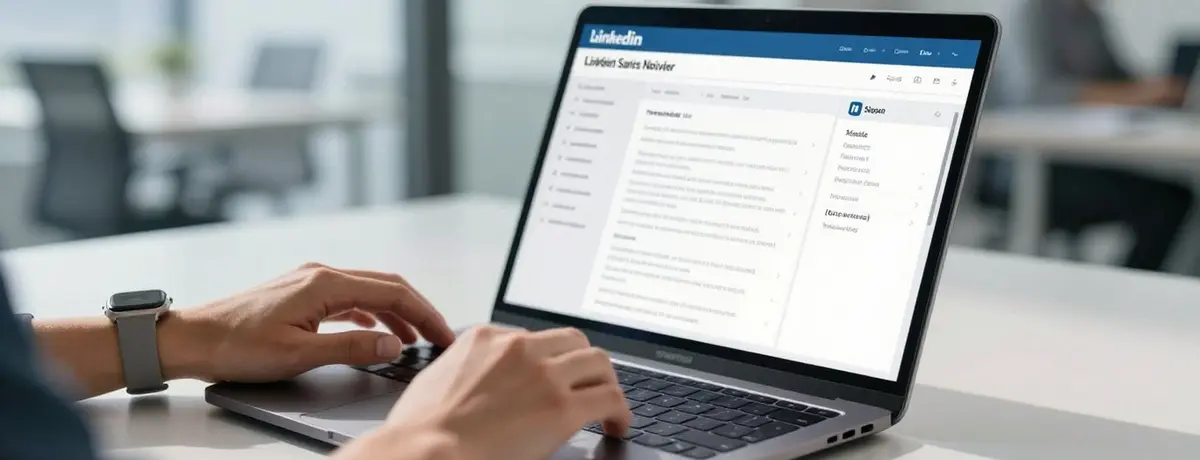
Sales manager analyzing data through the LinkedIn Sales Navigator dashboard
Pro Tip: Use the platform's "Spotlights" feature to filter individuals who have changed jobs in the last 90 days or who have previously interacted with your company. These individuals are the most likely group for warm outreach instead of cold contact.
Step-By-Step Guide to Using LinkedIn Sales Navigator
To use the platform effectively, it's essential to clearly differentiate between "Lead" (Individual candidate) and "Account" (Company) in the sales world. In the 2026 version, transitions between these two structures are now fully automated.
1. Master the Use of Advanced Search Filters
There are over 30 filters in Sales Navigator. Go beyond standard filters like industry, company size, and geography. Details such as "Decision-making authority," "Seniority level," and even "Having worked at a similar company in the past" directly affect your message opening rates. For a client in the industrial sector, we tripled our sales meeting numbers by targeting only managers who had made technology investments in the last 6 months.
2. Track Content with Smart Links
Smart Links report who viewed a PDF or presentation you sent, how long they engaged with it, and which pages they focused on. This is the most powerful weapon a sales representative can have in 2026. Knowing that your potential customer spent 3 minutes on the pricing page of your presentation determines the content of your next call.
3. Optimize Your InMail Strategy
Don't waste your InMail credits. LinkedIn's 2026 algorithms tend to mark non-personalized and mass-sent InMails as "spam." Make sure your message is crafted through an article shared by the recipient, a company news, or a mutual connection. Remember, logical arguments in B2B marketing alone do not sell; they build trust and correct timing.
LinkedIn Sales Navigator 2026 Pricing and Package Comparison
Choosing the package that best suits your needs helps you avoid unnecessary costs. The current structure in 2026 caters to different scales, from individual professionals to large sales teams.
Özellik Core (Professional) Advanced (Team) Advanced Plus (Enterprise)
Aylık InMail Kredisi 50 100 150+
Smart Links Yok Tam Erişim Gelişmiş Analitik
CRM Entegrasyonu Yok Var (HubSpot, Salesforce) Tam Otomasyon
AI Tahminleme Temel Gelişmiş Prediktif Analiz
Application Recommendation: If you have a sales team of more than 5 people, definitely consider the Advanced Plus package. Training Sales Navigator with feedback from CRM data provides the greatest productivity increase in 2026.
3 Advanced Strategies to Increase Your Sales
Anyone can use Sales Navigator, but not everyone can achieve a high ROI (Return on Investment) from it. Here are the special tactics we apply to our clients at 212 Medya:
1. Account-Based Marketing (ABM) Focused Listing
List not just individuals, but companies. Add all decision-makers (CEO, CMO, IT Manager) in a target parent company to an "Account List." When you like or comment on any post from someone in this group, you begin to enter the radar of the entire company. It is known that Account-Based Marketing (ABM) strategies provide a higher return on investment and yield better results than general marketing.
2. Targeting with Infrastructure and Technology Filter
If you are selling software or digital services, you would want to know what technologies your potential customer is using on their website. Sales Navigator allows you to filter the tech stacks on websites. For example, by finding companies that exclusively use "Shopify," you can present them with a tailored e-commerce consulting offer.
3. "Warm Introduction" Tracking
Find the connections of your connections. Thanks to the "TeamLink" feature, Sales Navigator shows you people your teammates know but who you do not. In 2026, trust is everything; establishing contact through a colleague’s referral is ten times more valuable than a cold InMail.
A digital network visual representing LinkedIn's network structure and potential customer networks
Common Mistakes and How to Avoid Them
According to our experience working with clients, the biggest mistake is using Sales Navigator like an automation bot. LinkedIn is taking much stricter measures against such activities in 2026 to preserve user experience. Always retain the human touch to avoid your account being restricted.
- Mistake: Sending unpersonalized, copy-paste messages.
- Mistake: Neglecting CRM integration and trying to manage data manually.
- Mistake: Focusing solely on "new" individuals and missing opportunities within the existing network.
Avoiding these mistakes and establishing your system on a professional basis always yields faster results. You can progress at a basic level on your own; however, working with an experienced team makes a difference for a scalable and sustainable sales funnel.
Frequently Asked Questions
Should I create a separate profile for LinkedIn Sales Navigator?
No, you use this service through your existing LinkedIn profile. Sales Navigator is a professional interface and feature set added to your current account.
Will my data be deleted when the free trial ends?
When you terminate your subscription, you lose access to the lists you have saved and your InMail history. Therefore, it is crucial to regularly transfer your data to your CRM system.
Which package is more suitable for small businesses (SMEs)?
The "Core" (Professional) version is sufficient for most SMEs. However, as your sales team grows and shared list functionality is needed, it is more sensible to switch to the "Advanced" package.
Is it more effective to send emails instead of InMails in 2026?
The ideal approach is a hybrid one. After establishing initial contact through Sales Navigator, deepening communication through a professional corporate email reinforces trust.
Why does the algorithm see my messages as spam?
If you send the same message to many people in a short period and your response rate is low, LinkedIn's algorithm classifies you as a "low-quality sender."
Key Points
- Sales Navigator is not just a search tool; it is a relationship management platform.
- The key to success in 2026 is to use Buyer Intent signals to eliminate timing errors.
- Focus on "Decision Maker" instead of "Seniority" and "Function" in your filtering.
- Use the Smart Links feature to measure your potential customer's interests with data.
- Be sure to synchronize Sales Navigator data with a CRM (Customer Relationship Management) system.
- Personalization is not optional but mandatory in the digital sales world of 2026.
Conclusion: A New Era in Sales is Beginning
When used correctly, LinkedIn Sales Navigator can turn into an endless source of customers for your business. However, viewing this powerful tool merely as a "message-sending panel" means throwing away its enormous potential. Companies that combine technology and human touch in 2026 continue to rapidly increase their market share.
As 212 Medya, we are aware of how critical the use of technology is in B2B marketing and sales strategies. We are here to ensure your sales teams use these tools in the most efficient way, optimize your targeting strategies, and professionalize your social media management processes.
Instead of getting lost in complex filters, AI-powered analyses, and campaign management, you can focus directly on results by leveraging our expertise. You can contact us immediately to create a B2B growth strategy tailored to your business and reflect the full power of LinkedIn in your sales figures.