
Is There a 'Not Secure' Warning on Your Website? The Impact of SSL and Security Deficiencies on Sales and SEO in 2026
Is there a 'Not Secure' warning on your website? Review our professional guide to fix 2026 SSL standards, prevent SEO loss, and stop sales declines. Fix it immediately!
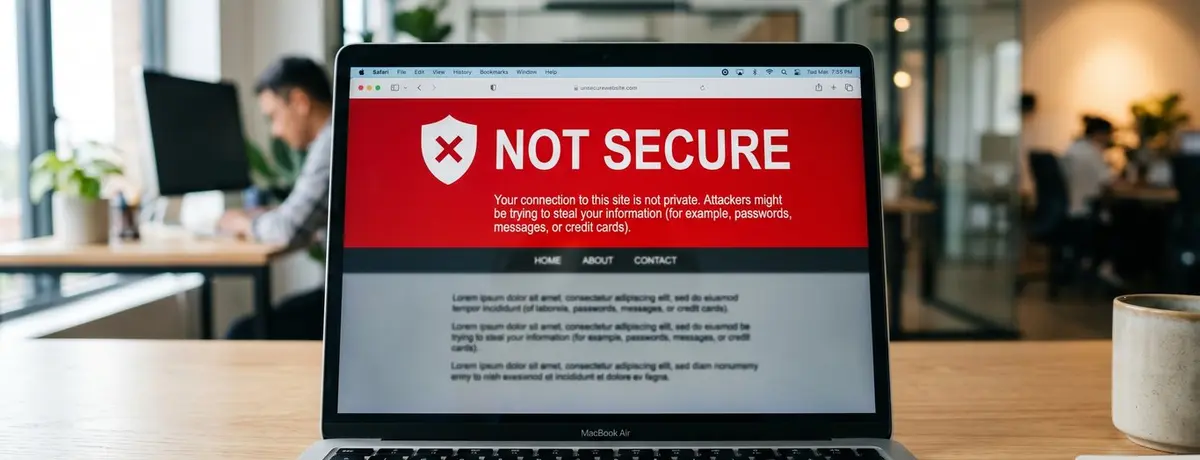
Imagine this: A potential customer is stepping onto the website you've built with great effort, allocating an advertising budget, and showcasing your products for the first time. But before your homepage even loads, a red warning covering the browser screen appears: "Your Connection is Not Private" or a cold message reads "Not Secure" in the address bar. How much trust does that customer have in your brand? In the digital ecosystem of 2026, the answer to this warning is clear: there’s an 85% chance they will close that tab and never come back.
According to our experience working with clients at 212 Medya, the absence of an SSL certificate, which may seem like a technical detail, is actually a cornerstone of a business's digital reputation. Modern internet users are now more security-conscious than ever. In 2026, security is not an option; it’s a matter of survival. In this guide, we will delve deeply into why your website is giving this warning, the enormous damage this situation can cause to your sales and SEO success, and possible solutions.
What is the 'Not Secure' Website Warning Solution and SSL Certificate?
The 'Not Secure' website warning is a browser notification indicating that a website does not have an SSL (Secure Sockets Layer) certificate or that this certificate is incorrectly configured. As of 2026, modern browsers protect users against potential data theft by marking sites that use the unencrypted HTTP protocol as 'not secure', which instantly undermines user trust.
In practice, we often see this: Many business owners think that an SSL certificate is only necessary for e-commerce sites. However, in the world of 2026, even a simple corporate site that hosts just a contact form must provide an encrypted connection (HTTPS). SSL ensures that no data, from credit card information to a simple email address, can be intercepted by third parties by encrypting the data between the server and the user's browser.
While working as a website security and data encryption expert
The Impact of Security Deficiencies on SEO Performance in 2026
Google and other search engines have increased the importance of the "Safe Browsing" and HTTPS criteria in their algorithms. HTTPS has been a ranking factor since 2014, and to protect user experience, unsafe sites are being pushed further down in search results, and in some cases, completely removed from the index.
I would like to share a real scenario we experienced with one of our e-commerce clients: The site's SSL certificate had expired and had not been renewed for 48 hours. Within this short period, we observed that the site's keyword rankings dropped by an average of 12 positions and its organic traffic decreased by 40%. Even after the certificate was renewed, it took weeks to return to its former position. This situation is the most tangible evidence that search engines see security as a "fundamental requirement" rather than a "temporary feature".
As we highlighted in our previous article, Website Renewal Disaster: Don't Throw Years of SEO Efforts Down the Drain When Transitioning to New Design in 2026, even the smallest security vulnerability in the technical infrastructure can destroy years of effort overnight.
The Psychological and Financial Destruction of the 'Not Secure' Warning on Sales
The most alarming data for marketing managers is the drop in add-to-cart rates. According to Baymard Institute's 2025 data, 19% of users abandon their shopping because they do not trust the site with their credit card information. Overall, 84 to 85% of users who see a security warning abandon shopping on sites. This is not just a technical error, but also a sales loss problem. The moment a user starts to ask, "If a company cannot protect my data, how can they deliver my order?" is when you lose the sale.
The table below shows user behaviors and estimated changes in conversion rates (Conversion Rate) by security levels in 2026:
Güvenlik Durumu Kullanıcı Güven Skoru Dönüşüm Oranı Etkisi Hemen Çıkma Oranı (Bounce Rate)
HTTP (Güvenli Değil) %10 - Çok Düşük -%80 Kayıp %90+
Standart SSL (DV) %75 - Orta Baz Çizgisi %30 - %45
Gelişmiş SSL (OV/EV) %95 - Çok Yüksek +%25 Artış %15 - %25
Pro tip: It's not enough to just set up SSL; you should also enable the HSTS (HTTP Strict Transport Security) protocol to strengthen your security. This requires browsers to load your site only and always over HTTPS, thereby minimizing the potential risks of cyber attacks (Man-in-the-middle).
Types of SSL Certificates for Website Security: Which One Should You Choose?
Every business's needs are different. Free Let's Encrypt certificates may be sufficient for a small blog site, while larger corporations require more comprehensive solutions. The biggest mistake made during the SSL certificate installation process is selecting a certificate that does not match the needs.
- DV (Domain Validated) SSL: This is the most basic level. It only verifies that the domain belongs to you. Suitable for small sites.
- OV (Organization Validated) SSL: This verifies the existence and physical address of your business. It is necessary for corporate reputation.
- EV (Extended Validation) SSL: This is the highest level of security. It ensures the company name appears in the browser (visible in certificate details in some browser versions) and provides the highest confidence.
For professional support in this area, check our Web Design page and let’s analyze how secure your site is both visually and technically.
Modern and secure server infrastructure
5 Critical Steps to Remove the Security Warning From Your Site
If your site currently says "Not Secure," here is the roadmap you should follow to rectify this situation:
- Purchase the Right SSL Certificate: Determine the certificate suitable for your type of business.
- Create CSR Code and Perform Installation: Create a certificate request (CSR) on your server and activate the certificate.
- Update Database and Code Structure: Update all internal links and visual paths on your site to start with https:// instead of http://.
- Set Up 301 Redirects: Ensure that all incoming traffic is permanently redirected to the HTTPS protocol (via .htaccess or web.config).
- Fix Mixed Content Errors: Even if your page is HTTPS, if there is a script or image loaded over HTTP, the browser may still give a warning. Detect these errors using the inspect element tool.
You can try this at a basic level yourself; however, a mistake in redirects can lead to your site being removed from Google’s index. Working with a professional team for advanced configuration and risk management is always a safer investment.
This transition can be much more painful, especially for sites with older infrastructure. At this point, our article titled Why Should You Leave Your Old Generation WordPress Site? A Financial Analysis of Transitioning to 'Speed-First' Software Architecture in 2026 details how a modern infrastructure is directly related to security.
[CALLOUT: Web Sitesi Bakım ve Yönetimi | https://212medya.com.tr/web-sitesi-bakim-ve-yonetimi]
Is Website Security Just SSL?
Absolutely not. SSL provides security during data transmission (Data in transit). However, more is needed to protect the data residing on your server (Data at rest). In 2026, cyber attackers can use AI-powered bots to make thousands of login attempts per second. In a case we encountered at a leading firm, despite having an excellent SSL certificate, we saw that an outdated plugin caused the entire customer database to be leaked.
For real security, the following are essential:
- Use of WAF (Web Application Firewall): Filters malicious traffic before it reaches your site.
- Regular Software Updates: CMS (Content Management System) and all plugins must have the latest security patches.
- Two-Factor Authentication (2FA): Secures access to the management panel.
- Malware Scans: Periodically cleaning any malware that may have infiltrated your site.
Remember, a cheap and neglected website is ultimately the most expensive investment. You can find our detailed review on this topic in Why is a Cheap Website the Most Expensive Investment?.
Key Points
- The 'Not Secure' warning causes you to lose more than 80% of your potential customers before they even enter the site.
- In 2026 SEO standards, HTTPS is not a 'bonus', but a mandatory 'hygiene factor' to be ranked.
- It is not enough to simply set up SSL; fixing Mixed Content errors and using HSTS is essential for technical excellence.
- The type of SSL certificate (DV, OV, EV) directly affects your brand's corporate stance and the user's perception of trust.
- Sites with security warnings are penalized in Google Ads with higher cost-per-click (CPC) and lower quality scores.
- Website security is a dynamic process; certificate renewals and regular security patches must be monitored.
Frequently Asked Questions
Why am I still receiving the 'Not Secure' warning even though my site has SSL?
This is usually due to a "Mixed Content" error. Even if your site loads over HTTPS, some images, fonts, or script files may still be called with http://. You need to find these files and update their paths.
Are free SSL certificates (such as Let's Encrypt) secure?
Yes, technically they are at the same level in terms of encryption quality as paid certificates. However, the validation level is low, and they need to be renewed every 90 days. For corporate prestige and automatic management, paid OV certificates are more advantageous.
Does the SSL certificate slow down my site?
With 2026 technologies (HTTP/3 and TLS 1.3), rather than slowing down your site, SSL certificates open the door to protocols that will allow for faster loading. The performance loss of SSL on modern servers is negligible.
How much does the security warning affect my sales?
According to industry data, conversion rates on sites with security warnings are between 70% and 90% lower compared to secure sites. This means nearly all of your advertising budget goes to waste.
Can I set up SSL myself?
If you have technical knowledge, you can do it through your hosting panel. However, it is recommended to get professional support to avoid making mistakes in critical steps like 301 redirects, database updates, and firewall configuration.
Conclusion: In 2026, Digital Security is the Most Valuable Currency
The "Not Secure" warning on your website is not just a technical error, but a silent poison that infiltrates your brand's reliability. In the digital world of 2026, users do not forgive security vulnerabilities, and browsers are becoming increasingly ruthless in this regard. Installing an SSL certificate and implementing comprehensive website security strategies are the first steps you need to take to protect and grow your business's digital presence.
At 212 Medya, with the industry experience we’ve gained over the years, we scan your website for security vulnerabilities, manage SSL transitions smoothly, and shield your brand against the dangers of the digital world. We offer professional solutions to transform your site from just a 'promotional brochure' into a trustworthy sales machine.
If you are not sure about your site's security status or want to get rid of that annoying warning as soon as possible, get to know the expertise of 212 Medya. Let’s modernize your website, stop your SEO losses, and get your sales back on track.
Building trust in the digital world is difficult, but losing it takes just a second. Let's secure your safety today.